Gift cards with Apple Wallet
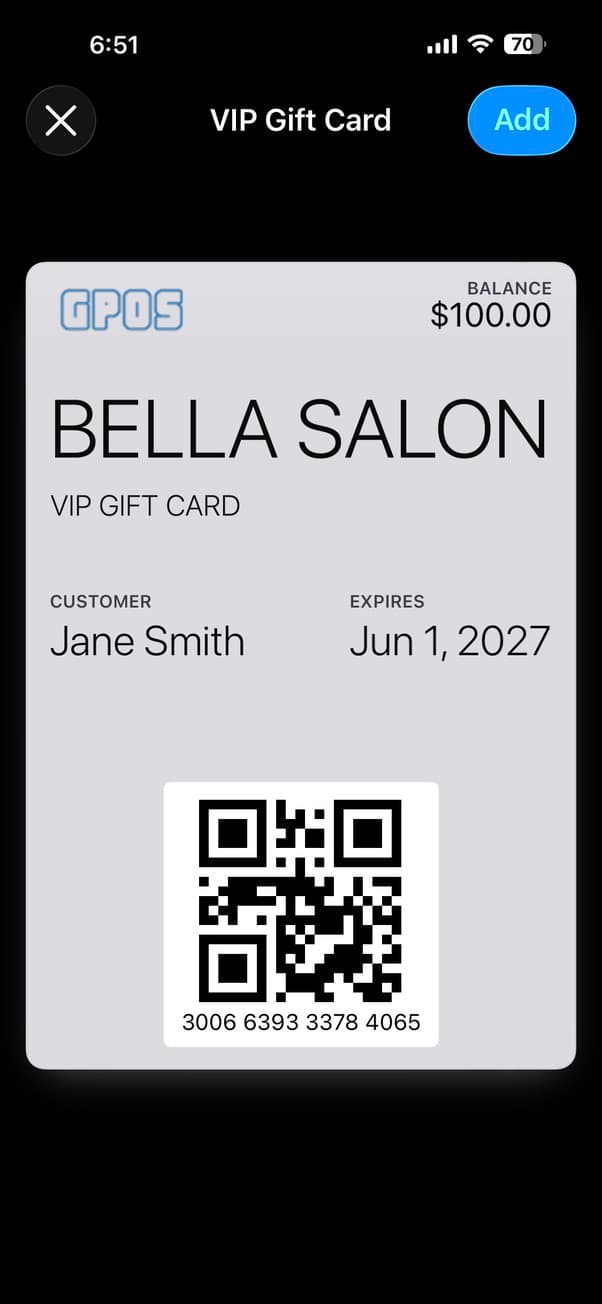
Sell, activate, and reload gift cards — all from your POS. Customers add cards to Apple Wallet and see their balance update in real time.
Key Features
Quick Denomination Buttons
Sell gift cards instantly with preset amounts — $25, $50, $100, $200 — or enter any custom amount. Add multiple cards to a single order.
Apple Wallet Gift Cards
After activation, customers scan a QR code to add the gift card to Apple Wallet. Balance updates automatically every time they use it.
Activation & Reload
Activate new cards or reload existing ones. The system detects whether a card number is new or existing and handles it automatically.
Balance Lookup & History
Look up any gift card by number or barcode scan. See current balance, initial amount, activation date, and full transaction history.
Batch Processing
Sell multiple gift cards in one transaction. After checkout, activate each card with its own number — perfect for holiday rush or corporate orders.
Seamless Redemption at Checkout
Customers pay with gift cards at the POS. The balance deducts automatically, and they can split payment with cash or credit card for the remaining amount.
Why you'll love it
- Drive new customer acquisition through gift card recipients
- Increase average transaction value with prepaid spending
- Apple Wallet keeps your brand visible on customers' phones
- Auto-updating balances — no confusion at checkout
- Full transaction history for every card
- Sell and activate cards in under a minute
Quick Sell
$25 · $50 · $100 · $200
Apple Wallet
QR code to add
Live Balance
Auto-updates
Reload
Add balance anytime
Ready to get started?
Start your first month for $1 today.